
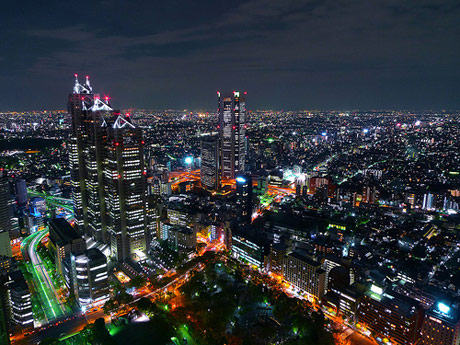
Photo by inoc @ Flickr
Posted On: 20 August 2009 | Category: Photography


Photo by inoc @ Flickr
Pets fill very quickly their place in our hearts and families and we enjoy having their pictures framed on our desk or wall! However taking pictures of your best friend is not always easy. Pets, unlike humans, do not understand what we are trying to do and won’t just pose for the camera!

Photo by José Luna @ Flickr
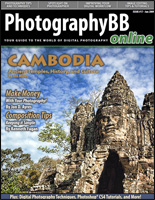 Digital photography fans can download the latest issue of PhotographyBB e-magazine in PDF format. PhotographyBB is a free online magazine composed by a hardworking team of volunteer contributing authors whose goal is to teach beginners all about digital photography and image processing. The June 2009 edition features articles on photography techniques and issues facing today’s digital photographer. Readers will learn tips on composition and how keeping things simple can lead to great photography. The issue also examines how to overcome “photographer’s block” when lack of inspiration occurs. Included is also a Photoshop® tutorial on creating an urban “grunge” type effect for dramatic impact.
 A short while back, I reviewed Bokeh from Alien Skin Software, an excellent Photoshop filter perfect for simulating tilt-shift photography. The filter offers the maximum amount of flexibility and features available to simulate tilt-shift photography with your existing images, as well as much more in the way of adding the bokeh effect to your photos. But if your need for simulated tilt-shift photography is limited, the $199 price tag might be too much. A friend of mine recently informed me about a new tool to simulate tilt-shift on your images, and it’s absolutely free. READ THE REST OF THIS ARTICLE.
 iPhoto is perfectly capable of displaying your photos as a slideshow or one at a time. But you’re limited to a flat display that doesn’t exactly “wow” anyone. With one simple download, you can view your iPhoto collection on a visually stunning 3D wall, right in your web browser. In my mini-review at The Apple Blog, I show you how you can avoid launching iPhoto to view your photos, including events, albums and the full collection using Cooliris, a plugin for Safari and Firefox. This is one of those plugins that is so utterly sexy, you can’t help but install it, even if you only use it once in a great while.
Macworld recently published my review of Alien Skin Software’s Bokeh plugin for Adobe Photoshop, Fireworks and Elements.

AlienSkin Bokeh plugin offers easy tilt-shift effects
Many times I find myself having to mock-up designs on various items such as bags, DVD covers, coffee mugs, and other various gift items for clients. Having an archive full of blank photos of such items goes a long way in making the task easier. 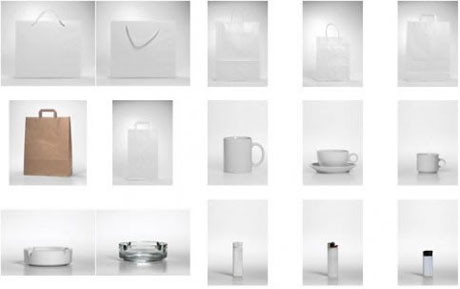 READ THE REST OF THIS ARTICLE.

Photo by Suck In Customs @ Flickr
Technorati Tags: High Dynamic Range, Photography, Tutorials





Lots of helpful tips for printing with the Adobe Creative Suite 4 apps (Photoshop, InDesign, Illustrator, Acrobat)
Styling your Web site’s linksGreat collection of ideas and techniques for styling your Web site’s links
How to exploit a bad bossTake a lesson from how the legendary Renaissance sculptor Michelangelo handled his “manager,” Pope Julius II
How to create a spattered photomontage in PhotoshopIn this tutorial, we’ll learn how to make a spattered photomontage in Photoshop using brushes and some filters. PSD file included.
PC Pixel Icon Pack: Easy And ConvenientStylish and unusual icons of that kind are definitely in great demand and we consider the fact as well.
Common Questions About Design ProfessionalismNo matter how skilled you are as a designer, unless you’re prepared in professional matters, your prospects will be limited
Adobe Font FinderFonts. What designer doesn’t have too many? And we are always on the hunt for more. Adobe’s Font Finder looks to help you find more.
Google Acquires Photo Editor PicnikIt was only a matter of which one they would acquire. Look for image editing in Web version of Picassa soon
Add a better color picker to PhotoshopA Photoshop color-picker panel that doesn’t require you to go into the PS color dialog window.
Please design a logo for me. With pie charts. For free.If you’ve ever heard “there’s money to be made here if you help me out…” from a client, you’re going to laugh at this.